
Photo Gallery: Album & Vault
Foxxy StudiosPhotography
4.322.00 Reviews
- Version
- 0.0.9
- Installs
- 50.00K
- Age Rating
- Everyone
Screenshots
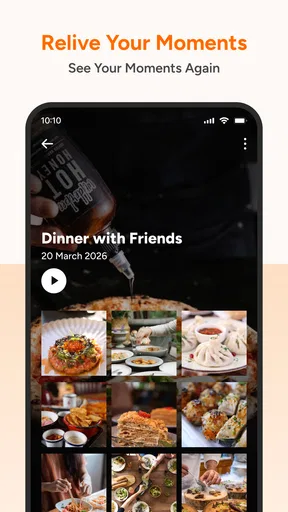
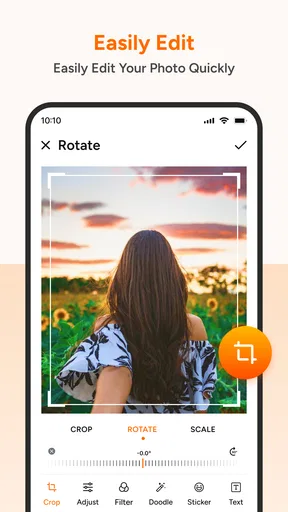
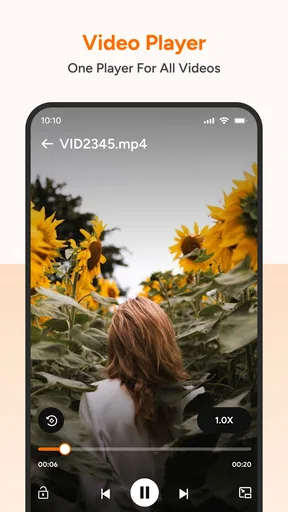
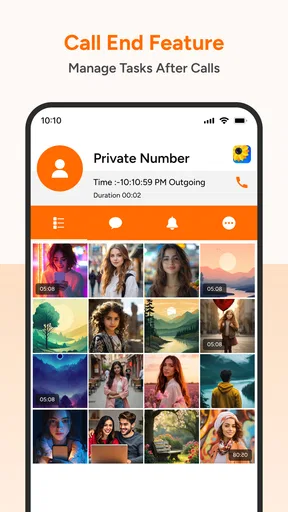
Our Review of Photo Gallery: Album & Vault
 Analysis by Appyee
Photo Gallery: Album & Vault is a free photography app from Foxxy Studios that takes a straightforward idea seriously: make the growing pile of photos and videos on a phone easier to browse and manage. I spent time treating it less like a novelty download and more like a gallery I might keep using every day. That distinction matters, because a photo app can feel useful during its first few minutes and still become irrelevant once the initial curiosity disappears.
My first impression was that its appeal comes from reducing friction. The store presents it as a high-quality HD gallery, but the practical question is whether it helps me find, review, and organize personal media more comfortably than the default gallery already does. For someone who wants a dedicated place for pictures and videos, the app has a clear purpose. It is also accessible: it is free to install, rated for Everyone, and currently sits at version 0.0.9 with a minimum operating-system requirement of 11.
What feels useful during the first week
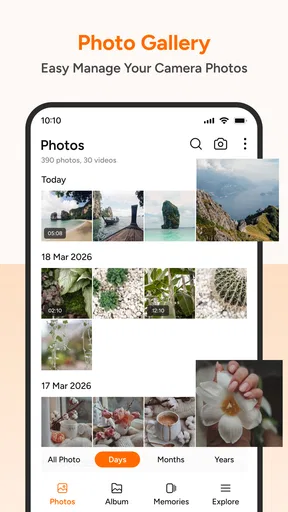
The first week is when a gallery app has its easiest opportunity to impress. I usually notice whether opening it feels direct, whether images are easy to scan, and whether videos sit naturally alongside photos rather than becoming an afterthought. Photo Gallery: Album & Vault is built around that central browsing experience, so it makes sense for people who want a separate visual home for their media instead of relying entirely on the phone’s preinstalled application.
That separation can be valuable when the default gallery has become crowded with screenshots, downloaded images, camera shots, and clips from messaging apps. Even without changing how I capture media, a dedicated gallery encourages me to think about organization as a regular activity. I can open it with a specific purpose: checking recent pictures, sorting a group from an event, or reviewing videos that I have allowed to accumulate.
The app’s strongest early use case is therefore not dramatic editing or social sharing. It is making everyday browsing feel more deliberate. If I take many pictures and rarely revisit them because the camera roll feels chaotic, an alternate gallery can create a useful pause. That is a modest benefit, but it is the kind that can become meaningful if it fits naturally into my routine.
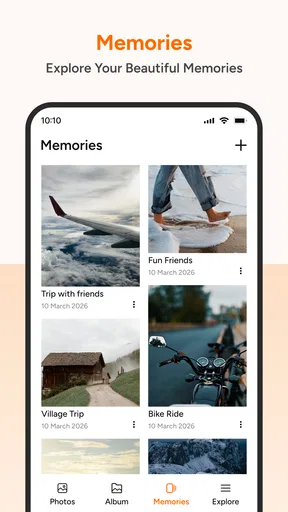
I also like the idea of using one gallery for both still images and video. Many people treat videos as a separate problem because they take longer to review and are easier to overlook. A gallery that puts both formats into the same organizing habit can help with a simple monthly task: remove accidental recordings, identify clips worth keeping, and group memories from the same occasion before they become difficult to recognize.
A practical workflow for photos from real life
Imagine returning from a family gathering with a mixture of portraits, duplicate shots, short videos, and screenshots of directions. My first pass would be visual rather than administrative: open the gallery, scan the recent material, and separate the meaningful items from the temporary ones. I would then use albums or another available organizing method to give the event a clear home. The important insight is to do this while the context is fresh. Waiting several months turns a simple cleanup into detective work.
This is where the app can earn its place during the first week. It does not need to replace every tool on the phone. It only needs to make the repeatable action of reviewing and arranging media comfortable enough that I actually do it. A gallery that supports a small habit is more useful to me than one that looks impressive but does not change how I handle my library.
For new users, I would avoid trying to reorganize everything immediately. Start with one recent occasion or one neglected folder. That approach makes it easier to judge whether the app’s layout and browsing style suit you. It also prevents the common mistake of spending an hour creating a complicated structure that becomes too demanding to maintain.
Where it fits beside the usual gallery
The default gallery on a phone has one major advantage: it is already familiar and usually connected closely to the device’s camera workflow. Cloud photo services may add search, automatic grouping, backup, and access across devices. Photo Gallery: Album & Vault makes more sense as a focused alternative for someone who wants a dedicated gallery experience rather than a broad online photo ecosystem.
That comparison also exposes an important trade-off. If your priority is automatic backup, intelligent search, or seamless access from several devices, a cloud-centered service may serve you better. If your priority is simply having a clean place to browse and organize local photos and videos, this app’s narrower purpose can be an advantage. I would not choose it merely because it is another gallery; I would choose it because I want gallery management to feel separate from the rest of my phone services.
Does it still matter after the novelty fades?
I’d use this section to consider whether the gallery stays useful once a new layout stops feeling novel. For me, the lasting test is whether it makes a small, repeatable task—like reviewing a recent batch of photos—feel easier, without turning organization into another obligation.
Month-to-month value depends on a small habit
After the first week, the question changes. A gallery app is not valuable because I opened it once and liked the appearance. It is valuable if it keeps helping me find things, maintain order, and enjoy older memories without creating another chore. In my view, this app’s long-term value depends on whether I use it as a lightweight monthly checkpoint.
A useful routine could be short and specific: review recent photos, group important moments, remove obvious mistakes, and check videos that are taking up attention in the library. I would not attempt a full archive project every month. The better approach is to keep the task small enough that it survives busy periods. That is a less obvious advantage of a dedicated gallery: it can turn organization into a visible, repeatable destination rather than an occasional reaction to a full phone.
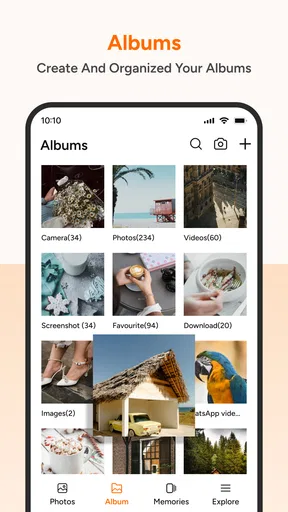
Albums are most helpful when they reflect how I remember things. A structure based on trips, people, projects, or family events is usually more useful than one based on technical details. I would also keep the number of albums under control. Creating a new album for every minor outing sounds organized, but it can make future browsing slower because I have to remember where I placed everything.
Another practical workflow is to use the gallery for selection before sharing. When I need to send pictures from an event, I can first review the group privately, discard near-duplicates, and choose the strongest images. This is more thoughtful than scrolling through a long camera roll while a conversation is waiting. It also reduces the chance of accidentally sharing an irrelevant screenshot or an unflattering duplicate.
Who is likely to keep using it
I can see lasting value for people who take lots of casual pictures, keep both photos and videos, or feel that their default camera roll has become difficult to navigate. It may also suit someone who wants a simpler, dedicated browsing space without committing to a larger online photo-management service. The Everyone content rating makes it approachable for a broad audience, although the real deciding factor is personal workflow rather than age.
It is less compelling for a person whose current gallery already provides everything needed and whose media library is small. Switching applications has a cost, even when the download is free: I have to build a new habit, learn a different arrangement, and decide whether maintaining two gallery experiences is worth it. If the existing option already makes photos easy to locate and review, this app may not create enough additional value.
I would also be cautious about choosing it as my only answer for a serious archival system. People with irreplaceable family records, professional photography collections, or a large multi-device library should think separately about backup and preservation. A gallery can make media easier to view without being the same thing as a dependable archive. For important files, I would still maintain a backup strategy outside the browsing app.
The maintenance burden is manageable, but real
The main maintenance burden is not installation or setup. It is the ongoing decision-making that every organizer eventually faces: which pictures deserve an album, which files are temporary, and whether I am creating order or simply moving clutter around. Photo Gallery: Album & Vault can support that process, but it cannot make the choices for me. That is not a criticism unique to this app; it is the basic limit of manual photo organization.
My recommendation would be to establish a naming and grouping rule early. For example, I might create one album for an event rather than separate albums for portraits, food, and scenery. I would also review video clips at the same time as photos, because videos are easy to postpone. A ten-minute check performed regularly is more sustainable than a large cleanup performed only when storage or frustration becomes urgent.
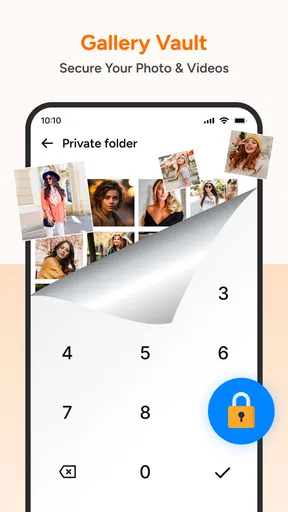
There is another trade-off involving privacy and convenience. The word “Vault” in the product name will attract people who want a more private place for selected media. I would treat that as a reason to inspect the app’s actual controls carefully before moving sensitive material into it. The name alone should not make me assume a particular level of protection. For private pictures, I would test the relevant behavior with non-sensitive files first and make sure the experience matches what I expect.
That test-first approach is useful for any gallery, but especially for an early release. The current version is 0.0.9, which tells me I should keep expectations realistic and pay attention to how the app behaves in my own library. I would begin with a small selection, confirm that browsing and organization feel dependable, and only then make it part of a larger routine.
Where fatigue can set in
The first source of fatigue is duplication. If I keep the phone’s default gallery, a cloud service, and this app all active, I may end up checking the same media in several places. That can cancel out the simplicity I wanted. The application works best when I give it a clear role instead of expecting it to become one more parallel copy of my entire photo life.
The second source is organization overload. Albums can make a library feel tidy, but too many categories create their own search problem. I would resist organizing every file immediately and focus on collections I will genuinely revisit. This is a small but important distinction: an album is valuable because it improves future access, not because its existence looks orderly today.
The third source is the gap between browsing and preservation. A polished gallery experience can make me feel that my memories are safe, even though viewing and backup are different responsibilities. I would not let the app replace a separate copy of important photos and videos. That is particularly important for people who use their phone as their only camera and store years of personal history there.
Cost can also affect the long-term decision. The app is free, but in-app purchases range from $9.99 to $49.99 per item. That does not automatically make it poor value, yet it means I would evaluate paid options only after confirming that the free experience solves a recurring problem. A purchase should reduce a real limitation in my workflow, not simply reward the excitement of a new download.
What I would check before settling in
Before moving my whole library into a new routine, I would answer a few practical questions through normal use. Can I locate a recent video quickly? Can I maintain an album without repeatedly correcting it? Does browsing remain comfortable when the library contains mixed media? Can I understand the organization without referring to the app every time? These are more useful tests than judging the app from its first screen.
I would also check how it fits into sharing and cleanup. My ideal gallery helps me identify a group of pictures, select only the worthwhile items, and return later without losing track of the collection. If I still have to jump constantly between several apps for ordinary tasks, the dedicated gallery may not be earning its place. On the other hand, if it becomes the first place I go when I want to review memories, that is a strong sign of recurring value.
The app has reached over 50K installs and holds a 4.3 average from around 500 ratings, with 22 written reviews. Those figures suggest that it has attracted a real early audience, but I would interpret them as a starting signal rather than proof that it suits every library. The most important test remains personal: whether it reduces the effort of managing my own photos and videos.
My long-term verdict
Photo Gallery: Album & Vault earns lasting space when I use it as a focused maintenance tool, not when I expect it to magically solve every photo problem. Its appeal is strongest for people who want a dedicated way to browse and organize mixed media, especially those who have stopped enjoying their camera roll because it has become too crowded. The free entry point makes it easy to try without committing immediately.
I would recommend it to a friend who regularly postpones photo cleanup, wants albums that reflect real events, or prefers a separate gallery over a larger cloud ecosystem. I would suggest starting with one recent collection, building a simple organization rule, and reviewing the result after a few weeks. If the app helps that collection stay understandable, expand gradually rather than importing every habit and every file at once.
I would skip it if my current gallery already feels effortless, if I need advanced archival and backup features as the central priority, or if managing multiple gallery locations would make me more confused. I would also avoid paying for extras until I know exactly which recurring frustration they address. The price range for in-app purchases makes that trial period especially sensible.
My final opinion is positive but measured. Foxxy Studios has made a photography app with a useful everyday role, and the idea is more durable than a one-time visual novelty because organization can become a habit. Still, the lasting benefit comes from disciplined use: modest albums, regular reviews, and a separate plan for protecting important files. If it makes you return to your memories instead of merely storing more of them, it has earned its place.
Verdict
Strengths of Photo Gallery: Album & Vault
- Clean layout makes browsing photos quick and intuitive.
- Private vault adds an extra layer for hiding sensitive images.
- Supports organizing pictures into custom albums.
- Useful search and sorting tools simplify photo management.
- Lightweight design should run smoothly on many Android devices.
Limitations of Photo Gallery: Album & Vault
- Some privacy features may require a premium subscription.
- Ads can interrupt the experience in the free version.
- Advanced editing tools are limited compared with dedicated editors.
- Vault recovery may be difficult if the password is forgotten.
- Performance can vary with very large photo libraries.
Similar Picks in This Category
View All
Google Photos
Google LLC4.4

Gallery
Google LLC4.2

Picsart AI Photo Editor, Video
PicsArt, Inc.3.9

B612 AI Photo&Video Editor
SNOW Corporation4.1

BeautyPlus-Selfie Photo Editor
PIXOCIAL TECHNOLOGY (SINGAPORE) PTE. LTD.4.5

Remini - AI Photo Enhancer
Bending Spoons4.1
Frequently Asked Questions
What is Photo Gallery: Album & Vault used for?
Photo Gallery: Album & Vault is designed to help you browse, organize, and protect photos and videos stored on your device. After granting the necessary media permissions, you can view files in an album-style interface, sort or manage your collection, and use the vault feature for more private content. Its usefulness depends on the specific tools included in the version available on your device.
Does Photo Gallery: Album & Vault keep private photos secure?
The app includes a vault-style area intended for hiding personal photos and videos from the regular gallery view. Before relying on it for sensitive material, check whether the current version supports a PIN, password, fingerprint, or another lock method. You should also review its recovery options, because forgetting the vault password or deleting the app could affect access to protected files.
What permissions does Photo Gallery: Album & Vault require?
A gallery and vault application normally needs access to photos and videos so it can display, organize, move, or hide media on your phone. Depending on the operating system and the features you use, it may also request permission to send notifications or access files. Read each permission prompt carefully and allow only what is necessary for the functions you want.
Can I recover photos if I uninstall the app or change phones?
You should not assume that hidden or organized files will automatically be restored after uninstalling Photo Gallery: Album & Vault or moving to another device. Some vaults encrypt or relocate files inside app-specific storage, which may be removed during uninstallation. Before making changes, unlock and export important media, create a separate backup, and check whether the app provides cloud or recovery support.
Is Photo Gallery: Album & Vault free to download and use?
The application may be available as a free download, but some features can depend on advertising, in-app purchases, or a premium upgrade. Restrictions may apply to advanced privacy tools, additional customization, ad removal, or other gallery functions. Check the Google Play Store or Apple App Store listing for the current price, subscription details, supported devices, and the exact features included before downloading.
